Telehealth companion program
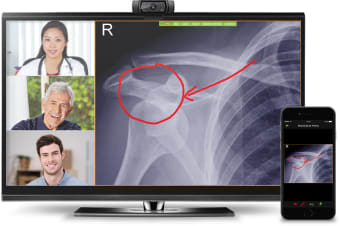
VSee Messenger is a social and communication software solution developed for desktop devices. It is a free tool that was specifically designed for healthcare users. It guarantees secure and high-definition video chats in various data networks such as 3G, 4G, or WiFi even with low-bandwidth. On top of that, it enables you to show real-time presentation and mark up of lab results, CT scans, documents, and EHR records through its screen-sharing and live annotation feature.
Top Recommended Alternative

How do I use VSee Messenger?
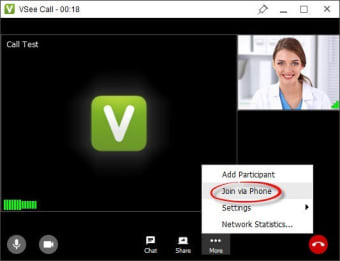
Using VSee Messenger on your Windows PC is pretty intuitive and straightforward. To start a call, just hover to the name of the person you want to talk to under the 'Contacts' tab. Afterward, you must click the 'Video' icon beside that person's name to initiate a call and wait for that person to answer. If by chance, you want to add another person to the conversation, the process for this will just be the same.
Screen-sharing has been streamlined to be an easy and simple task as well. You only need to open the document you wish to present and click the 'VShare' button on the upper right section of your chosen file. A set of collaboration tools will then be made available for you in case you need to do live annotations. This includes tool options like pen, text, color, and clear. Once you're done presenting, just click 'Unshare.'
This social communication software supports file transfers, as well. Thus, you can send any file directly via chat or even while you are on your video call. Just drag and drop the document file you want to send in the 'Chat' tab of the recipient or over their face in the video call to start the transfer process. Everything in VSee is designed to be simple both for the provider and the patient or any other contact.
Reliable communication tool
With the straightforward interface it provides, VSee Messenger is a dependable chat and call software for Windows PCs. It was specially designed to be utilized in the telehealth services sector. Thus, if you have concerns regarding this particular field, this is one of the best programs to take advantage of, either as a patient or as a healthcare worker.